

Run Manually Plugin
The Run Manually Plugin extends the default functionality of Segments and Campaigns by allowing administrators to trigger their execution directly from the user interface.
In the default system behavior, segments and campaigns are executed using CLI commands or cron jobs. This plugin removes the need to access the server terminal every time a manual run is required and instead provides UI-based controls.
This improves usability for administrators, marketers, and support teams who may not have server access but still need the ability to trigger segment or campaign processing on demand.
Installation & Setup
Prerequisites
Administrative access to install plugins.
Composer (if plugin dependencies are managed externally).
Installation Steps
- Copy the RunManuallyBundle into the application’s plugins/ directory.
- php bin/console mautic:plugins:reload
- Log in to the application’s admin panel and navigate to Settings → Plugins.
- Locate the Run Manually Plugin and click Install/Update.
- Verify that the plugin is active.
- Clear cache and run bin/console m:a:g
Working of Plugin
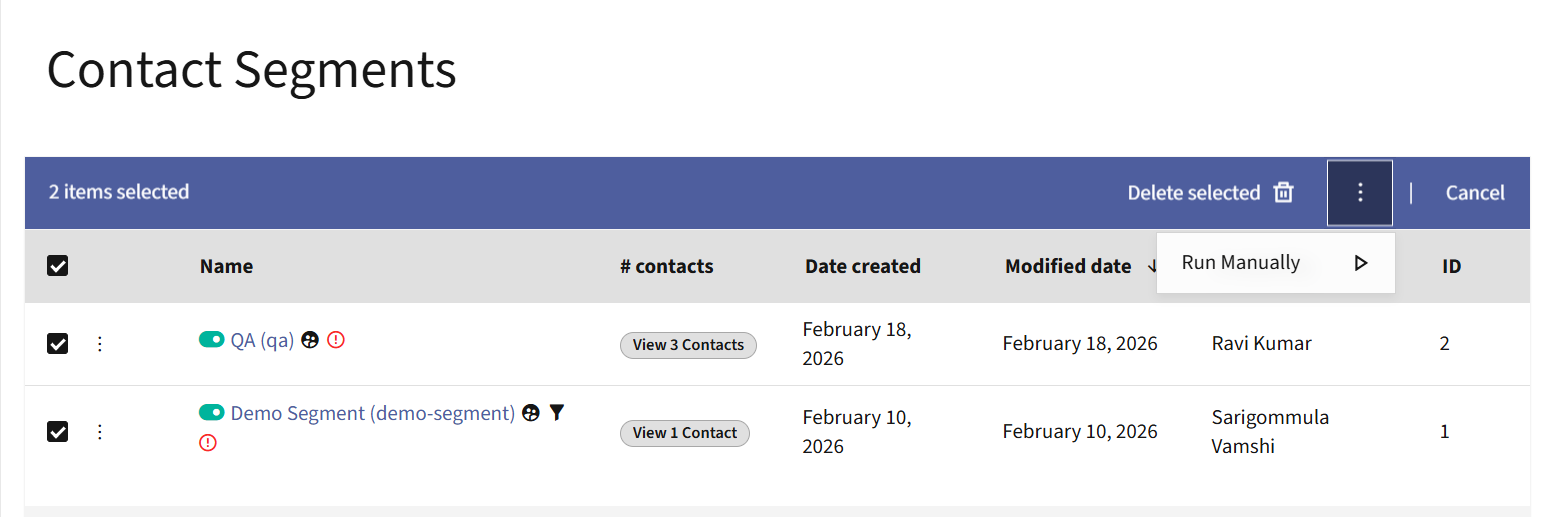
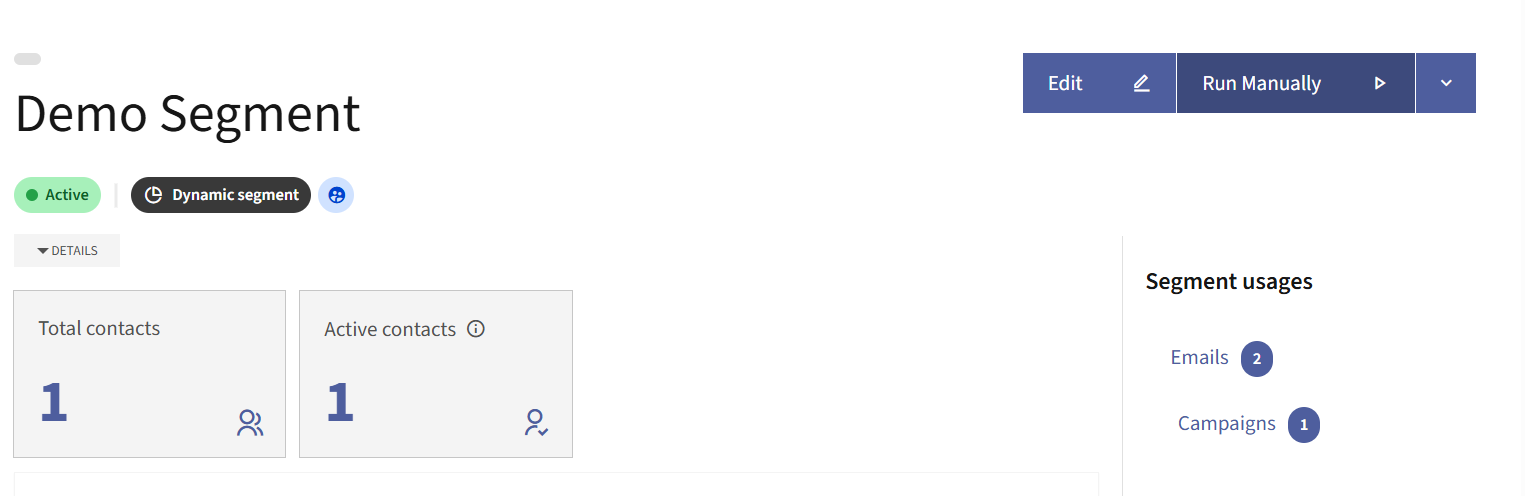
- By installing the plugin we are able to see a new button Run Manually on the list actions and detailed view of Segments and Campaigns.
- For list actions we can select multiple segments or campaigns to trigger them manually from UI.
- For detailed view a dedicated button is available to manually trigger both segments & campaigns.
- By clicking on the Run Manually button it triggers the selected segment or campaign and helps us to not use commands for manual triggers.